Moodle Quiz Answers: How Moodle Quizzes Actually Work
Moodle quiz answers, explained from the inside. Here is how Moodle quizzes actually work — question types, answer shuffling, random questions, time limits, attempts, and review options — so you can answer accurately and check your work.

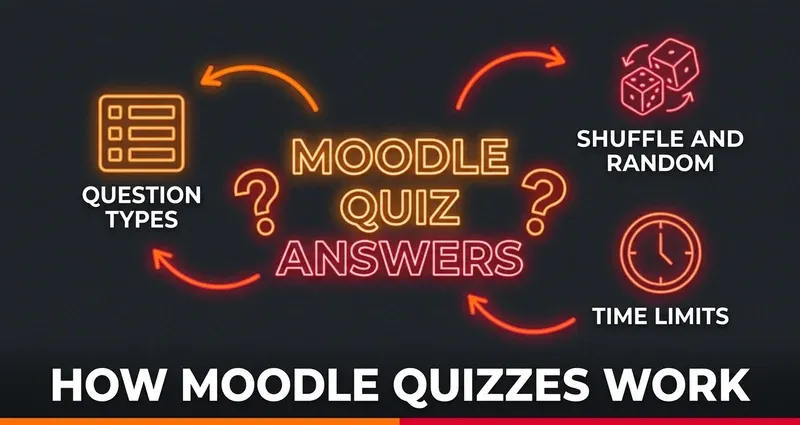
How Moodle Quizzes Actually Work
If you want reliable Moodle quiz answers, the first thing to understand is how a Moodle quiz is built. Most students treat a quiz like a single sealed test, but a Moodle quiz is really a set of teacher-chosen settings stacked on top of a pool of questions. Once you know which settings are in play, you can answer more accurately and check your work instead of guessing.
This guide walks through the mechanics that decide what shows up on your screen: the question types, how answers and questions get shuffled, where "random" questions come from, how time limits and attempts behave, and when you can see the correct answers. Everything here describes a normal, non-proctored Moodle quiz — the kind that makes up the vast majority of weekly coursework.
The Moodle Question Types You Will Face
A Moodle quiz can mix many question types in a single attempt, and each one is graded differently. The standard types that ship with Moodle are:
- Multiple choice — pick one or several correct options
- True/False — a two-option special case of multiple choice
- Matching — pair items from two columns
- Short answer — type a word or phrase that must match an accepted answer
- Numerical — type a number, often with an allowed margin of error
- Essay — a free-text response that a human grades manually (Moodle cannot auto-grade it)
- Drag and drop — onto an image, into text, or as markers
- Embedded answers (Cloze) — one question with several blanks of mixed types inside a passage
The first six are objective: Moodle scores them automatically against a defined correct answer. Essay questions are the outlier — they wait for your professor to read and grade them, so there is no "correct answer" sitting in the system to surface.
One caveat for STEM students: equation-based math questions usually run on the STACK plugin, not core Moodle. STACK is a separate add-on that uses a computer algebra system to evaluate the expressions you type in, randomize variables, and generate dynamic feedback. It is the definitive math question type, but because it is a plugin rather than a built-in type, it behaves differently from the standard list above.
Answer Shuffling vs. Question-Order Shuffling
Here is where a lot of confusion about Moodle quiz answers starts. Moodle has two completely separate shuffle settings, and people mix them up constantly:
- Shuffle within questions (sometimes labeled "Shuffle answers") randomizes the order of the options inside a question — so option A for you might be option C for your classmate. This only applies to questions with multiple options, like multiple choice and matching, and it only fires if the shuffle option is turned on for both the quiz and that individual question.
- Shuffle questions randomizes the order of the questions themselves each time a new attempt starts. It does not change which questions you get — only the sequence.
The practical takeaway: never rely on "the answer is B" from a friend. With answer shuffling on, the letter is meaningless — only the actual text of the option matters. This is exactly why verifying the answer by its content, not its position, is the only safe approach.
Random Questions Pull From a Question Bank
This is the single biggest reason two students can sit side by side and see different quizzes. Teachers store questions in a question bank, organized into categories like folders. They can then drop a random question into the quiz, which tells Moodle: "pull one question from this category at random for each student."
The consequence is spelled out in Moodle's own documentation: different students are likely to get a different selection of questions, and when multiple attempts are allowed, each attempt is likely to contain a new selection. So if a classmate swears the answer to question 3 is a particular thing, their question 3 may not even be your question 3. A small bank makes repeats more likely; a large one makes your attempt nearly unique. This is the core reason shared answer keys fall apart on Moodle — and it ties into whether Moodle can detect cheating, which is more about your answers and timing than any shared list.
Time Limits and What Happens When Time Runs Out
A time limit is off by default. When a teacher sets one, you see a countdown timer, and what happens at zero depends on which of three options they picked:
- Open attempts are submitted automatically — the default. When the clock hits zero, Moodle submits whatever you have, answered or not.
- A grace period applies — you can no longer answer new questions after time is up, but you still get a short window to hit submit. If you do not submit before that grace period ends, the attempt is recorded as "Never submitted." The minimum grace period defaults to 60 seconds.
- Attempts must be submitted before time expires, or they are not counted — the strictest setting. Miss the deadline and the attempt does not count at all.
Knowing which one applies matters: under option 3, a slow final question can cost you the entire attempt. The safest habit is to submit a few seconds early rather than racing the buzzer.
Attempts Allowed and the Four Grading Methods
By default, a Moodle quiz allows unlimited attempts unless your teacher caps it. When more than one attempt is permitted, Moodle has to decide which score counts, and it uses one of exactly four grading methods:
- Highest grade — your best attempt counts (the most forgiving, and common for practice quizzes)
- Average grade — the simple mean of all your attempts
- First grade — only your first attempt counts
- Last grade — only your most recent attempt counts
This single setting changes your whole strategy. If grading is set to Highest, a first attempt is a low-risk way to learn the format. If it is set to First or Last, every attempt carries real weight. Always check the attempt count and grading method before you click start.
Review Options: When You Can See the Correct Answers
Moodle controls what feedback you see through a review options grid: the rows are what you can see (the attempt, whether each answer was correct, the marks, feedback, and the right answer) and the columns are when — during the attempt, immediately after, later while the quiz is still open, or after it closes.
Your teacher decides which boxes are ticked. That is why some quizzes show the correct answer the instant you submit, others reveal nothing until the quiz closes for everyone, and a few never show the right answer at all. (Recent Moodle versions split the marks rows slightly differently from older ones, so the exact list varies by version — the structure is what matters, not a fixed item count.) If you are studying for a retake, check whether "Right answer" is enabled after the quiz closes — that is often your best built-in study resource. For more on what the platform records while you work, see what Moodle can and cannot track.
Smart Ways to Find and Verify Moodle Quiz Answers
Once you understand the mechanics, finding accurate answers becomes a process of verification, not luck:
- Read the option text, not the letter — shuffling makes positions worthless.
- Match the exact question — with random questions, your version may differ from a classmate's, so confirm the wording lines up before trusting any answer.
- Use your own materials first — notes, the textbook, and lecture slides are the questions' actual source.
- Cross-check anything uncertain — for numerical and short-answer questions, a wrong format can be marked wrong even when the idea is right.
- Mind the grading method — if it is Highest, use a first attempt to map the quiz; if it is First or Last, slow down.
The slow part is doing all of that while a timer runs. That is the gap a good Moodle answer tool is meant to close — and it is exactly how DodoSolve was built to help.
How DodoSolve Surfaces Moodle Quiz Answers
- Runs locally in your browser — nothing is sent to Moodle's servers
- Reads the actual question on the page, so shuffled options and random questions are handled by content, not letter
- Surfaces the answer right on the question, so you verify in place without tabbing away
- Works on objective question types — multiple choice, true/false, matching, short answer, numerical
- Leaves no trace — sandboxed in your browser, with nothing logged inside the platform
- Works on normal, non-proctored quizzes — it cannot run inside Safe Exam Browser or Respondus LockDown Browser
The Bottom Line
A Moodle quiz is not one fixed test — it is a stack of teacher settings on top of a question bank. Understand the question types, the two separate shuffle settings, where random questions come from, how time limits and attempts behave, and when review shows the correct answers, and you stop guessing and start verifying. Get the mechanics right, confirm answers by their content, and you can move through any normal Moodle quiz accurately and confidently.
Frequently Asked Questions
How do Moodle quizzes actually work?
A Moodle quiz combines teacher-chosen settings — question types, shuffling, time limits, attempts, and review options — with a pool of questions stored in a question bank. Those settings decide exactly what appears on your screen and how it is graded, which is why two students can see different quizzes from the same assignment.
Why are my Moodle quiz answers in a different order than my classmate's?
Moodle has an answer-shuffling setting that randomizes the options inside each question, and a separate setting that shuffles the question order. On top of that, random questions pull from a question bank, so you and a classmate may not even have the same questions. Always verify an answer by its text, never by its letter.
What happens when the Moodle quiz timer runs out?
It depends on the teacher's setting. By default, open attempts are submitted automatically at zero. Some quizzes instead give a short grace period to submit (but not answer) more, and the strictest setting does not count the attempt at all if you miss the deadline. Submit a few seconds early to be safe.
When can I see the correct answers on a Moodle quiz?
Your teacher controls this through Moodle's review options, which set what you can see and when — during the attempt, right after, later while the quiz is open, or after it closes. Some quizzes reveal the right answer immediately on submit; others never show it. Check whether the right answer is visible after the quiz closes if you are studying for a retake.
Can DodoSolve find Moodle quiz answers for me?
DodoSolve runs locally in your browser, reads the actual question on the page, and surfaces an answer right where you are working on objective question types. It works on normal, non-proctored Moodle quizzes and leaves no trace inside the platform, but it cannot run inside locked-down browsers like Safe Exam Browser or Respondus LockDown Browser.