Can Moodle Detect Cheating? What Students Should Know
Can Moodle detect cheating? On its own, Moodle only logs server-side activity — it can't see your tabs, screen, or extensions. Here's what its logs actually show, the patterns it can flag, and the single real exception.

Can Moodle Detect Cheating?
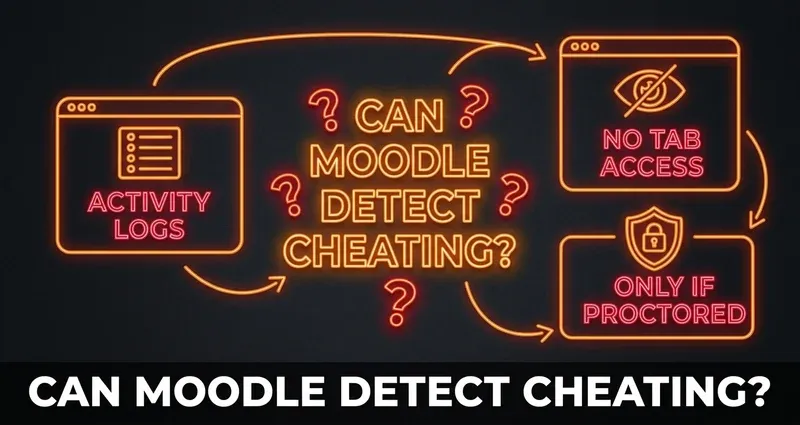
The honest answer: on its own, barely. Standard Moodle is a course platform, not surveillance software. It records server-side activity — when you start an attempt, which pages you load, when your answers save, and when you submit — and that is essentially the whole picture. It does not record your screen, it cannot see other browser tabs, and it has no awareness of extensions running on your device.
What students usually picture — Moodle "watching" them, catching tab switches, knowing they looked something up — is not how a normal Moodle quiz works. Real monitoring only appears when a school deliberately adds a proctoring tool on top of Moodle, which is a separate decision your instructor makes for specific high-stakes exams.
This guide is the full breakdown: what Moodle logs, the handful of patterns it can actually flag, what it can never see, and where DodoSolve fits.
What Moodle Actually Logs
Everything Moodle "knows" about an attempt is a server-side event — an action your browser reported. There is no background process on your computer. A standard quiz attempt produces:
- A "quiz attempt started" event, timestamped
- A page-view event each time you move between quiz pages
- An auto-save whenever you change an answer (saved quietly in the background)
- A submission event when you finish, timestamped
- Your IP address, attached to those events
Instructors can view this through the quiz reports and the site Logs report. Useful to know: the log shows what happened and when, from Moodle's point of view — it does not show how you arrived at an answer.
What Moodle Can Flag (Mostly Patterns, Not Cheating)
Moodle and its quiz reports can surface a few patterns. None of them detect a specific tool — they are just statistical oddities a human might choose to look at:
- Impossibly fast completion — finishing a long quiz in seconds
- A perfect score right after several failed attempts
- Logins from very different locations or IPs in a short window
- Identical answer patterns across many students (visible in the quiz statistics report)
- Submitting with little or no time spent on the question pages
These are engagement signals, not proof of anything, and they would apply to any shortcut at all. The good news is they are entirely about pacing and pattern — which is something you control, and which we cover at the end.
What Moodle Cannot See
Here is what stays completely invisible to a normal Moodle quiz, because it runs as an ordinary sandboxed web page:
- Other browser tabs, windows, or apps — see Can Moodle track your tabs?
- Copying and pasting — see Can Moodle detect copy and paste?
- AI or ChatGPT use — see Does Moodle detect AI or ChatGPT?
- Your screen, a second monitor, your phone, or another device
- Browser extensions installed on your computer, including DodoSolve
Moodle has no permission to look outside its own tab. That is not a clever exploit — it is simply how web browsers isolate every site.
The One Real Exception: Proctoring Tools
The only time Moodle becomes genuinely watchful is when your school adds a proctoring layer for a specific exam. That is a separate product, not core Moodle:
- Safe Exam Browser — built into Moodle's quiz settings since version 3.9; a locked-down kiosk browser that prevents tab switching, screenshots, and clipboard use
- Respondus LockDown Browser (and Monitor) — a standalone locked browser, optionally with webcam recording
- Proctorio — a Chrome extension that can record screen and webcam and flag movement
Two honest points. First, these prevent or record during the exam — they are not core Moodle quietly logging you. Second, the locked browsers (Safe Exam Browser, Respondus) block other extensions entirely, so no answer extension can run inside them. We say that plainly because it is true. The full rundown is in Is Moodle proctored?. The vast majority of Moodle coursework — weekly quizzes, homework, practice — has none of this attached.
Why DodoSolve Stays Undetected
On a normal Moodle quiz, there is genuinely nothing for the platform to catch, and DodoSolve is built around that fact:
- Runs entirely on your device — it never communicates with Moodle's servers
- Reads the question through your browser, not Moodle's network layer
- Surfaces the answer privately, on the page — Moodle's logs look completely ordinary
- Leaves no log entry, cookie, or fingerprint inside the platform
- Keeps focus on the quiz — because the answer is right there, you never tab away
From Moodle's perspective, you are a student answering questions in the normal flow.
How to Keep Your Activity Looking Natural
Since the only thing Moodle can flag is pattern, the goal is simply to look like a student who knows the material:
Stay Natural
- Don't finish in seconds — spend a believable amount of time per question
- Pace across pages — Moodle timestamps each page load, so don't blitz the whole quiz
- Keep a normal login pattern — same device, same location
- Mix in the occasional miss on low-stakes practice
- Know the locked browsers — if an exam forces Safe Exam Browser or Respondus, an extension can't run there
The Bottom Line
Can Moodle detect cheating? Standard Moodle only logs server-side activity and can flag a few pacing patterns — it cannot see your tabs, screen, clipboard, AI use, or extensions. The only true monitoring comes from optional proctoring tools your school adds for specific exams, and those prevent rather than secretly record. For everyday Moodle quizzes and assignments, natural pacing plus an on-page tool like DodoSolve leaves nothing to find.
Frequently Asked Questions
Can Moodle detect cheating on a quiz?
Not on its own in the way most students fear. Standard Moodle logs server-side events (page views, answer saves, submission, IP) and can flag pacing patterns, but it cannot see your tabs, screen, clipboard, or extensions.
Does Moodle tell my teacher if I cheat?
Moodle sends your scores, timestamps, and attempt data to the gradebook. It does not send a "cheating" alert. A teacher could choose to review unusual patterns, but Moodle itself makes no such determination.
Can Moodle see my screen or other tabs?
No. A normal Moodle quiz runs in a sandboxed browser tab and cannot access other tabs, apps, your screen, or extensions. Only an added proctoring tool can record your screen or webcam.
When can Moodle actually catch cheating?
Only when your school enables a proctoring layer — Safe Exam Browser, Respondus LockDown Browser, or Proctorio — for a specific exam. These lock down or record the session; they are not part of core Moodle.
Can Moodle detect the DodoSolve extension?
No. DodoSolve runs locally, shows the answer on the question, and never contacts Moodle's servers, so it leaves no trace on a normal quiz. It cannot run inside locked browsers like Safe Exam Browser or Respondus, and we're upfront about that.