Can Moodle Track Your Tabs? What It Actually Sees
Can Moodle track or see your tabs during a quiz? The short answer is no — a standard Moodle quiz has no tab tracking at all. Here's exactly what Moodle logs, the single exception, and what it can never see.

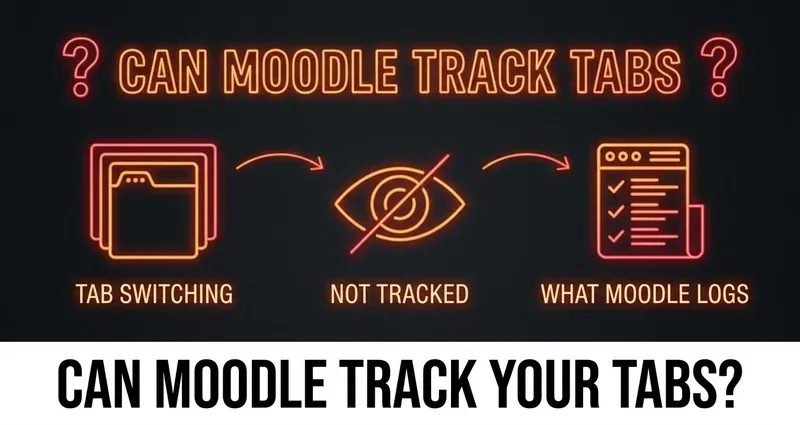
Can Moodle See What Tabs You Have Open?
The short, honest answer is no. A standard Moodle quiz cannot track your tabs, cannot tell when you switch to another window, and has no idea what else is open on your computer. Moodle is a normal web application running inside a single browser tab, which means your browser sandboxes it away from everything else — exactly like any other website.
This surprises a lot of students, because the rumor that "Moodle knows when you leave the page" gets repeated constantly. It comes from confusing Moodle with the proctoring tools some schools bolt onto it (more on that below). On its own, plain Moodle has no tab-focus detection of any kind. It does not record when your browser loses focus, it does not log a "stopped viewing" event, and it cannot see a second monitor, your phone, or a browser extension.
In this guide we will break down exactly what Moodle logs during a quiz, the one situation where switching tabs actually matters, and why DodoSolve runs completely invisibly on a normal Moodle quiz.
What Moodle Actually Logs During a Quiz
Everything Moodle records about a quiz attempt happens on the server, not on your device. Moodle only knows about an action once your browser sends it — there is no background process watching your screen. Here is the full picture of what a standard Moodle quiz writes to its logs:
- When you started the attempt — a single timestamped "quiz attempt started" event
- Each quiz page you load — Moodle records the page view when you move between questions
- Auto-saves of your answers — when you change an answer, Moodle quietly saves it in the background
- Your final submission — the timestamp when you click submit
- Your IP address — captured with each of those server events
That is the entire footprint. Notice what is missing: there is no entry for "switched tabs," "left the page," or "opened another window," because none of those actions ever reach Moodle's server. Your browser handles them locally and never tells Moodle they happened.
Can a Professor Tell If You Paused?
This is the nuance worth understanding. A professor with quiz access can open your attempt log and see the timestamps above. What they can do is notice a gap — if you loaded question 4 at 2:01 and did not save an answer or load question 5 until 2:09, there is an eight-minute hole in the record.
What they cannot do is see what you were doing during that gap. Moodle does not know whether you were re-reading the question, taking a break, looking something up in another tab, or staring at the wall. The log shows time passing, not behavior. A gap is not evidence of anything by itself — it is just a gap.
The One Exception: Safe Exam Browser and Proctoring
There is exactly one situation where tab switching becomes a real problem on Moodle, and it is not Moodle itself — it is an add-on your school has to deliberately install and configure:
- Safe Exam Browser (SEB) — built into Moodle's quiz settings since Moodle 3.9. SEB is a locked-down "kiosk" browser that prevents you from switching tabs, opening other apps, copying, or taking screenshots in the first place. It does not quietly record tab switches; it physically blocks them.
- Respondus LockDown Browser, Proctorio, and similar proctoring plugins — separate products a school adds on top of Moodle. These can lock the browser, record your webcam, or flag movement.
The important detail: Safe Exam Browser and Respondus LockDown Browser are standalone locked-down browsers, and a Chrome extension cannot run inside them. If your exam forces you to open it in one of these, no extension works — and they will tell you to disable other extensions before the exam even loads. That is a hard limit, and we would never tell you otherwise.
The good news is that the overwhelming majority of Moodle coursework — weekly quizzes, homework, practice questions, unit assignments — runs on a normal browser tab with none of this attached. If you are not being forced into a special locked browser, there is no tab tracking happening at all.
What Moodle Cannot See (Including DodoSolve)
On a standard Moodle quiz, here is everything that stays completely invisible to the platform:
- Browser extensions installed on your computer, including DodoSolve
- Other tabs, windows, or applications you have open
- Anything on a second monitor, your phone, or another device
- When you switch away from the quiz tab and come back
- Whether anyone else is in the room helping you
Moodle runs as an ordinary sandboxed web page, so it has no API and no permission to look outside its own tab. This is not a loophole DodoSolve discovered — it is simply how every web browser is built.
Why DodoSolve Stays Invisible on Moodle
DodoSolve was built to work with the way browsers isolate web pages, not against it. On a normal Moodle quiz, there is genuinely nothing for the platform to detect:
- Runs entirely on your own device — DodoSolve never talks to Moodle's servers
- Reads the question through your browser, not through Moodle's network layer
- Surfaces the answer privately to you without changing the page Moodle sees
- Leaves no log entry, cookie, or fingerprint inside the platform
- Never moves focus off the quiz — because the answer appears right on the question, you never switch tabs in the first place
That last point matters most for this topic: the only "tab activity" a careful professor could ever wonder about is the act of leaving to look something up. DodoSolve removes the reason to leave at all.
How to Keep Your Moodle Quiz Logs Clean
Even though a standard Moodle quiz can't track tabs, your timing still tells a story. The goal is to look like a normal student who knows the material:
Stay Natural
- Don't finish in seconds: spend a believable amount of time on each question
- Pace yourself across pages: Moodle timestamps every page load, so don't blitz the whole quiz in under a minute
- Keep the answer on the page: DodoSolve shows it on the question itself, so you never tab away
- Mix in normal behavior: read the question, scroll, take the natural beat you'd take anyway
- Skip the locked browsers: if an exam demands Safe Exam Browser or Respondus, an extension can't run there — know that going in
The Bottom Line
Can Moodle track your tabs? On a normal quiz, no — it has no tab-focus detection, no "you left the page" event, and no view into anything outside its own tab. The only time switching tabs matters is when your school adds Safe Exam Browser or a proctoring tool, and those prevent switching rather than secretly log it. For everyday Moodle quizzes and assignments, the smartest move is to never need to switch tabs in the first place — which is exactly what DodoSolve is for.
Frequently Asked Questions
Can Moodle track tabs during a quiz?
No. A standard Moodle quiz runs in a sandboxed browser tab and has no ability to detect tab switching, focus loss, or what other tabs you have open. It only logs server-side events like page loads and submissions.
Does Moodle log when you switch tabs or leave the page?
No. Moodle does not record a "left the page" or "switched tabs" event by default. Those actions happen in your browser and are never sent to Moodle's server, so there is nothing in the log.
Can my professor see what websites I opened during a Moodle quiz?
No. Your professor can see Moodle's quiz log — start time, page views, answer saves, and submission time — but Moodle cannot see other tabs, apps, or devices. At most they can notice a time gap, not what you did during it.
When can Moodle actually detect tab switching?
Only when your school adds Safe Exam Browser (built into Moodle since 3.9) or a proctoring tool like Respondus LockDown Browser or Proctorio. These lock the browser to prevent switching — but a Chrome extension cannot run inside those locked browsers.
Can Moodle detect the DodoSolve extension?
No. On a normal Moodle quiz, DodoSolve runs locally in your browser, never contacts Moodle's servers, and leaves no trace. Because it shows the answer on the question itself, you never switch tabs, so there is nothing for Moodle to log.