Best Crowdly Alternative for Moodle — DodoSolve
Crowdly Alternative for Moodle

The Better Crowdly Alternative for Moodle

DodoSolve's Auto-Solve reads your Moodle question and surfaces the answer in one click — built only for Moodle, with a purpose-built answer engine instead of crowdsourced guesses. And when you want it, step-by-step explanations are right there too.

4.9/5 Rating
10,000+ Students
100% Accurate

Why DodoSolve's Auto-Solve Beats Crowdly

Crowdly leans on answers verified by other students — great when a peer has already done your question, slower when nobody has. DodoSolve's Auto-Solve is built for one job — clearing your Moodle coursework — and it answers on the page instantly, every question type, every time.

One-Click Auto-Solve

Full Auto-Solve reads your Moodle question and surfaces the answer right on the page — no waiting for a peer to submit, no clicking through questions one by one.

Instant & Consistent

A purpose-built answer engine returns answers immediately, even on brand-new or uncommon questions where a crowdsourced answer simply doesn't exist yet — so you're never stuck waiting on the crowd at deadline time.

Transparent Pricing

One simple plan from $8.33/month — no in-app purchases to unlock, no metered credits. You always know exactly what you're paying. Cancel anytime, no questions asked.

Watch Auto-Solve Do What the Crowd Can't

One click and DodoSolve's Auto-Solve reads your Moodle quizzes, tests, and exams and surfaces the answers — instantly, without waiting on a crowdsourced answer to appear.

  • Auto-solves quizzes, tests & exams in a single click
  • Handles every Moodle question type — multiple choice, true/false, matching, fill-in & drag-and-drop
  • Answers instantly, even on new questions no one else has done yet
  • Optional step-by-step explanations whenever you want them

What DodoSolve Does That Crowdly Doesn't

The features that matter most when you're working through Moodle coursework.

Instant On-Page Answers

Auto-Solve reads the question on screen and surfaces the answer right there — no waiting for the crowd, no clicking through questions one at a time.

Every Question Type

Multiple choice, true/false, fill-in-the-blank, short answer, matching, and drag-and-drop — Auto-Solve handles every Moodle quiz question type.

Explanations On Demand

Want to actually learn it? Open step-by-step explanations on any answer — completely optional, and never in the way of Auto-Solve.

Private & Safe by Design

DodoSolve runs entirely inside your browser, never logs into your Moodle account, and stores no personal information.

Purpose-Built, Not Crowdsourced

DodoSolve answers from a dedicated engine, so it works on new and uncommon questions too — instead of depending on whether another student has already submitted that answer.

Live Status & Real Support

A public service status page and responsive support keep you covered whenever you're up against a Moodle deadline.

Side-by-Side

DodoSolve vs Crowdly

How the two Moodle extensions stack up, feature by feature.

Feature DodoSolve Crowdly
One-click Auto-Solve for quizzes, tests & exams
Built specifically for Moodle
Purpose-built answer engine (works on new questions) Crowdsourced answers
Instant answers without waiting on other students Peer-verified
Covers every question type (MCQ, fill-in, matching, drag-and-drop)
Step-by-step explanations on demand
Transparent flat pricing $8.33/mo In-app purchases
One simple plan — no metered credits
Cancel anytime
Runs privately — no account login required
Quick Setup

How the Moodle Extension Works

Get instant Moodle answers in three simple steps.

Step 1

Install the Extension

Add DodoSolve to Chrome in under 30 seconds.

Install DodoSolve extension illustration
Step 2

Open Your Assignment

Navigate to your Moodle coursework as you normally would.
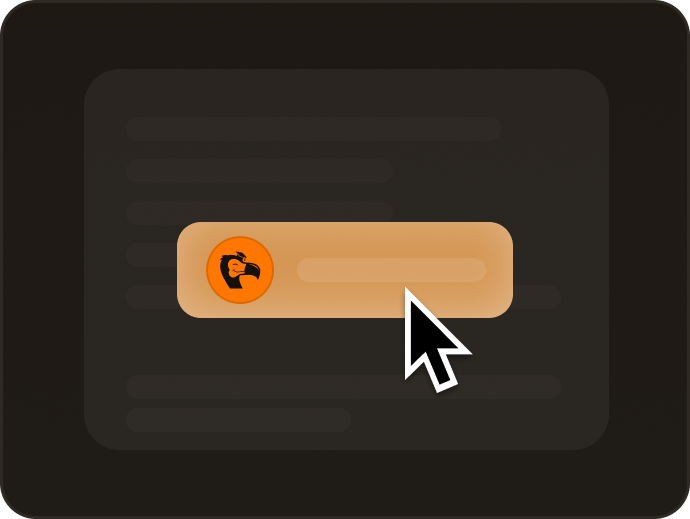
Click solve button illustration
Step 3

Get Instant Answers

Get AI-generated Moodle answers and explanations instantly.

Get answers illustration
Trusted by 10,000+ Students

What Students Are Saying

Join thousands of students who switched to the DodoSolve Moodle extension to study smarter.

Hailey Brooks - Biology student using DodoSolve

Hailey Brooks

Biology Major

"Perfect for those late-night study sessions when you're stuck on a problem."

Ryan Mitchell - Engineering student using DodoSolve

Ryan Mitchell

Engineering Student

"The explanations are what sold me. I'm not just clicking through — I actually get why the answer is right before I move on."

Grace Nguyen - Accounting student using DodoSolve

Grace Nguyen

Accounting Student

"No waiting around for someone else to answer first. It just reads the Moodle question and solves it. No surprises on pricing either."

Marcus Coleman - Physics student using DodoSolve

Marcus Coleman

Physics Major

"Works flawlessly on every Moodle assignment I've thrown at it. Best switch I made for school."

Choose Your Plan

Simple, transparent pricing — no in-app purchases, cancel anytime

Weekly

$ 9.99 /week

Perfect for short-term use

  • Instant answers
  • All Moodle assignments
  • No usage limits
  • Cancel anytime
Most Popular

Monthly

$ 24.99 /month

Most flexible option

  • Instant answers
  • All Moodle assignments
  • No usage limits
  • Cancel anytime
Save 33%

Quarterly

$ 16.66 /month

$49.99 billed quarterly

  • Instant answers
  • All Moodle assignments
  • No usage limits
  • Cancel anytime
Best Value

Yearly

$ 8.33 /month

$99.99 billed annually

Save 67%

  • Instant answers
  • All Moodle assignments
  • No usage limits
  • Cancel anytime
Crowdly Alternative FAQ

Got Questions?

Everything you need to know about switching from Crowdly

Yes. DodoSolve's Auto-Solve reads your Moodle question on screen and surfaces the answer in one click — across every question type, from multiple choice to fill-in-the-blank, matching, and drag-and-drop. Unlike Crowdly, which leans on answers verified by other students, DodoSolve answers from a purpose-built engine, so it works instantly even on new or uncommon questions — and it adds step-by-step explanations whenever you want them.

Both are Moodle Chrome extensions, but they answer differently. Crowdly surfaces crowdsourced answers verified by other students, while DodoSolve uses a dedicated answer engine that responds instantly on the page — including on questions no one else has done yet. DodoSolve also keeps pricing simple and transparent, with one flat plan from $8.33/month and no in-app purchases to unlock, plus optional explanations when you want to understand the material.

DodoSolve plans start at $8.33/month on the yearly plan, with weekly and monthly options too — all on simple, transparent pricing with no in-app purchases. Crowdly is free to install but unlocks features through in-app purchases, so your real cost can vary. With DodoSolve you always know exactly what you're paying, and you can cancel anytime with no questions asked.

Yes. DodoSolve is purpose-built for Moodle and works across Moodle-based courses, and Auto-Solve covers quizzes, tests, and exams in every subject — math, science, English, history, business, and more.

Yes. DodoSolve runs entirely inside your browser, never logs into your Moodle account, and stores no personal information — so you can run Auto-Solve with peace of mind.

Ready to Switch from Crowdly?

Join thousands of students using the DodoSolve Moodle extension to study smarter for less.

Setup in under 2 minutes
Cancel anytime
10,000+ satisfied students