Moodle Browser Extension — DodoSolve AI Study Bot
AI-Powered Moodle Browser Extension

The Best Moodle Browser Extension

Get instant AI answers on every Moodle assignment. Install on Chrome, Firefox, Edge, or Brave in 30 seconds.

How It Works
Instant Results
AI-Powered
Browser-Based

Save Hours on Every Moodle Assignment

The smartest way to handle Moodle quizzes, assignments, and activities.

Works on every activity

Full Moodle coverage

Instant AI answers

Suggestions in seconds, not minutes

Chrome, Firefox, Edge & Brave

Works on every major browser

Every question type

Multiple choice, fill-in-the-blank, short answer & more

AI-powered accuracy

Highly accurate answer suggestions

Private and secure

No personal data collected

Quick Setup

Install in 3 Steps

Get your first Moodle answer in under 2 minutes.

Step 1

Install the Extension

Add DodoSolve to Chrome, Firefox, Edge, or Brave.

Install DodoSolve browser extension illustration
Step 2

Click Solve

Open any Moodle question and click solve.
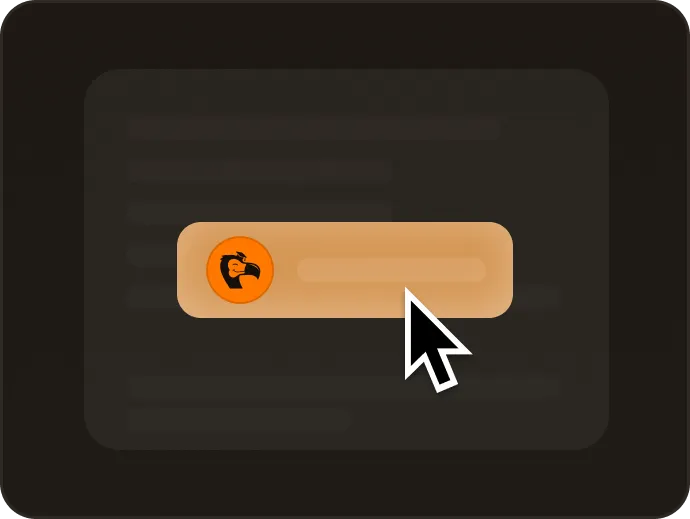
Click solve button illustration
Step 3

Get Instant Answers

Smart Assist returns AI suggestions in seconds.

Get answers illustration
Moodle Browser Extension

Why Students Choose DodoSolve

The most powerful Moodle browser extension.

Full Compatibility

Works on every Moodle quiz, assignment, lesson, and activity.

Lightning-Fast Results

Answer suggestions in seconds. Finish assignments up to 10x faster.

Every Question Type

Multiple choice, true/false, matching, short answer, numerical, Cloze, and more.

Cross-Subject Coverage

From calculus to chemistry, literature to biology — every subject covered.

Privacy & Security

Runs locally in your browser. No personal data collected.

Easy Installation

Set up in under 30 seconds. No technical knowledge required.

Trusted by 10,000+ Students

Loved by Thousands of Moodle Students

See why students choose DodoSolve.

Ryan Mitchell using the DodoSolve Moodle browser extension

Ryan Mitchell

Engineering Student

"Installed in seconds and works flawlessly. Essential for managing my heavy Moodle course load."

Marcus Coleman using the DodoSolve Moodle browser extension

Marcus Coleman

Physics Major

"Works flawlessly on every Moodle quiz I throw at it — even the numerical and Cloze questions in my physics labs. One click and the answer is right there."

Hailey Brooks using the DodoSolve Moodle browser extension

Hailey Brooks

Business Major

"I use it for all my Moodle business courses. It handles accounting and marketing quizzes perfectly and saves me so much time."

Grace Nguyen using the DodoSolve Moodle browser extension

Grace Nguyen

Accounting Student

"A lifesaver during crunch week. It breezes through my accounting quizzes on Moodle, and the explanations actually help me understand the material."

Pricing

Pick the plan that fits your Moodle workload

Weekly

$ 9.99 /week

Perfect for short-term use

  • Instant answers
  • All Moodle assignments
  • No usage limits
  • Cancel anytime
Most Popular

Monthly

$ 24.99 /month

Most flexible option

  • Instant answers
  • All Moodle assignments
  • No usage limits
  • Cancel anytime
Save 33%

Quarterly

$ 16.66 /month

$49.99 billed quarterly

  • Instant answers
  • All Moodle assignments
  • No usage limits
  • Cancel anytime
Best Value

Yearly

$ 8.33 /month

$99.99 billed annually

Save 67%

  • Instant answers
  • All Moodle assignments
  • No usage limits
  • Cancel anytime
Supported Subjects

Every Moodle Subject

AI answers across every course in your catalog.

Common Questions

Got Questions?

Everything you need to know

Yes. The extension runs in your browser with no personal data collection.

Chrome, Firefox, Edge, Brave, and other Chromium-based browsers.

Multiple choice, true/false, matching, short answer, numerical, calculated, essay, Cloze, drag-and-drop, and more.

Yes — math, science, business, history, literature, and every other Moodle subject.

Advanced AI delivers highly accurate suggestions. Best used as a study aid alongside your coursework.

Sign up, add the extension to your browser, then click Solve on any Moodle question. Takes under 30 seconds.

Ready to Install?

Join thousands of Moodle students using DodoSolve.

Setup in under 2 minutes
Cancel anytime
10,000+ satisfied students