Is Moodle Proctored? Safe Exam Browser, Respondus & Proctorio
Is Moodle proctored? Not by default — Moodle only watches you if your school adds a proctoring tool like Safe Exam Browser, Respondus LockDown Browser, or Proctorio. Here's exactly what each one does, and what it means for you.

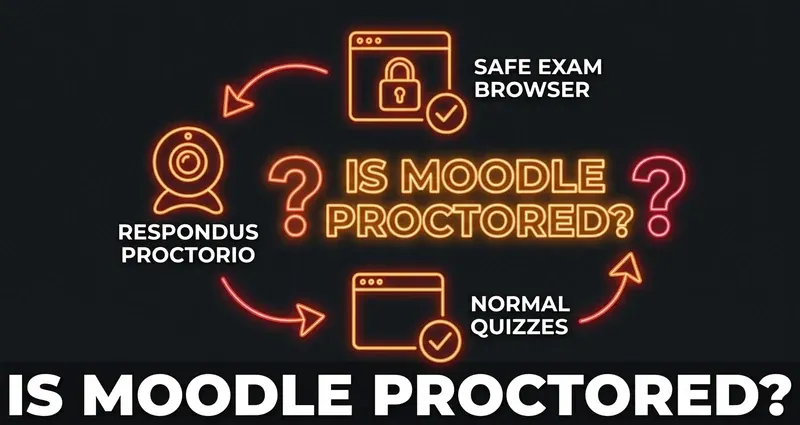
Is Moodle Proctored?
By default, no — Moodle is not proctored. A standard Moodle quiz does not record your webcam, lock your browser, or watch your screen. Moodle only becomes "proctored" when your school deliberately installs and enables a separate proctoring tool for a specific exam. That is a setting your instructor turns on, not something Moodle does on its own.
So the real question is never "is Moodle proctored?" in general — it is "is this particular quiz proctored?" And you can almost always tell before you start, because a proctored exam forces you to install or launch something extra. The three tools you are most likely to meet are Safe Exam Browser, Respondus LockDown Browser, and Proctorio. Here is what each actually does.
Safe Exam Browser (Built Into Moodle)
Safe Exam Browser (SEB) is the one option that lives inside Moodle itself — it has been a built-in quiz access rule since Moodle 3.9. When an instructor enables it, you have to open the quiz in the SEB application instead of your normal browser.
SEB is a lockdown kiosk browser. It does not quietly record you; it prevents things:
- Switching to other tabs, windows, or applications
- Taking screenshots or using the clipboard
- Opening other programs during the exam
Because SEB takes over the whole screen and blocks everything else, browser extensions cannot run inside it. That is a hard limit, and we will not pretend otherwise.
Respondus LockDown Browser
Respondus LockDown Browser is a separate, standalone application a school adds on top of Moodle. Like SEB, it is a locked-down custom browser — Respondus describes it as a native application that replaces your normal browser for the exam. It blocks other apps and tabs, and it typically requires you to close conflicting browser extensions before the exam will even open.
Schools often pair it with Respondus Monitor, which adds webcam recording and automated flagging of "suspicious" movement during the exam. As with SEB, no Chrome extension can operate inside the LockDown Browser.
Proctorio
Proctorio is different in one important way: it is a Chrome extension, so it runs in your normal browser rather than a separate locked app. When an instructor enables it for a Moodle quiz, Proctorio can record your screen, webcam, and microphone, and flag movements, gaze, or room changes for an instructor to review later.
Proctorio is the grayer area precisely because it rides along in the same browser — but make no mistake, when it is active it is actively recording the session. It only runs when a course has specifically turned it on for an exam.
So How Do You Know If a Quiz Is Proctored?
You will almost always get an obvious signal:
- The quiz tells you to download or launch Safe Exam Browser or Respondus before you can start
- You are prompted to enable a webcam or do a "room scan"
- A Proctorio extension check runs before the quiz unlocks
If none of that happens — no special browser, no webcam prompt, no extension check — the quiz is running on plain Moodle, with the limited server-side logging we cover in Can Moodle detect cheating? and no ability to see your tabs.
Where DodoSolve Fits
DodoSolve is a browser extension, which means it works on normal, non-proctored Moodle quizzes — the weekly quizzes, homework, and practice that make up the bulk of most courses. On those, it surfaces answers on the page with no trace, exactly as described in our detection guides.
We are straight with you about the limit: on an exam locked behind Safe Exam Browser or Respondus LockDown Browser, an extension cannot run at all. If you see one of those, plan for it. For everything else — which is most of Moodle — DodoSolve is built to help.
Built for everyday Moodle quizzes
Most Moodle coursework isn't proctored. On a normal quiz, DodoSolve puts the answer right on the question — multiple choice, true/false, matching, numerical, and more — with nothing for Moodle to log.
The Bottom Line
Is Moodle proctored? Not unless your school adds a tool for a specific exam. Safe Exam Browser and Respondus lock the browser down and block extensions; Proctorio records through a Chrome extension. You will know a proctored quiz when you see the download or webcam prompt. Everything else is standard Moodle — and that is exactly where DodoSolve works.
Frequently Asked Questions
Is Moodle proctored by default?
No. A standard Moodle quiz has no proctoring — no webcam, no browser lockdown, no screen recording. Proctoring only happens when your school enables a separate tool like Safe Exam Browser, Respondus, or Proctorio for a specific exam.
Does Moodle record your webcam?
Not on its own. Webcam recording only happens through an added tool — Respondus Monitor or Proctorio. Plain Moodle and Safe Exam Browser do not record your camera.
How do I know if my Moodle quiz is proctored?
You'll be prompted to launch Safe Exam Browser or Respondus, enable a webcam, or pass a Proctorio extension check before the quiz opens. No prompt means it's a normal, unproctored quiz.
Can I use an extension on a proctored Moodle exam?
No. Safe Exam Browser and Respondus LockDown Browser are locked-down browsers that block all extensions. DodoSolve works on normal Moodle quizzes, not inside those locked browsers.
Does DodoSolve work on a non-proctored Moodle quiz?
Yes. On a standard Moodle quiz, DodoSolve runs locally in your browser, shows answers on the page, and leaves no trace — because regular Moodle has no proctoring to begin with.