Is DodoSolve Detectable on Moodle? The Honest Answer
Is DodoSolve detected on Moodle? The honest answer is no — on a normal Moodle quiz it runs locally in your browser, never touches Moodle's servers, and leaves no log entry. Here's exactly why, and the one real limit worth knowing.

The honest answer up front
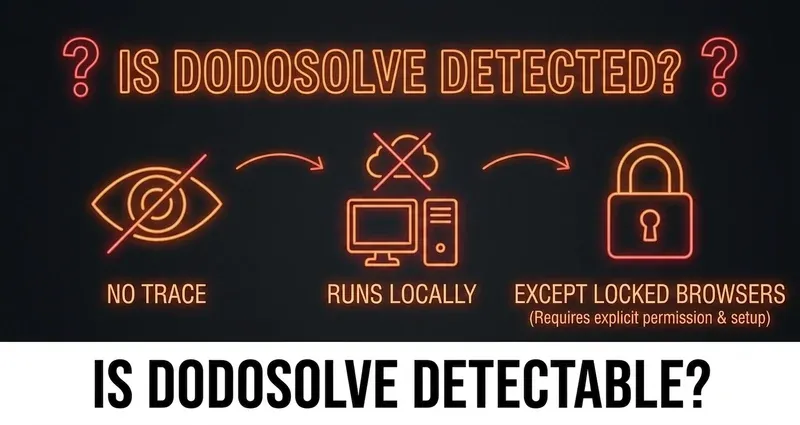
You want to know if DodoSolve is detected before you trust it on a real quiz. That's the right instinct, so here's the direct answer: on a normal Moodle quiz, no — DodoSolve is not detectable. It runs locally in your browser, never contacts Moodle's servers, surfaces the answer right on the page so you never switch tabs, and leaves no log entry, cookie, or fingerprint behind. A standard Moodle quiz only records server-side events, and those events can't see browser extensions at all.
That's the short version. But "trust me, it's fine" isn't an answer — so the rest of this post walks through why that's true, what Moodle can and can't actually see, and the one real situation where DodoSolve genuinely can't run. We're going to be straight with you on that last part, because pretending it works everywhere is exactly how students get caught.
Can Moodle detect DodoSolve?
To answer "is DodoSolve safe," you first have to understand what Moodle is even capable of seeing. Moodle is a normal web application. When you take a quiz, your browser loads a page from Moodle's server, you interact with it, and your browser sends actions back. Everything Moodle knows about your attempt happens on the server side — it only learns about something once your browser tells it.
A standard Moodle quiz logs a short, predictable list of events:
- When you started the attempt — one timestamped "attempt started" event
- Each quiz page you load — recorded as you move between questions
- Auto-saves — fired only after you change an answer
- Your final submission — the timestamp when you click submit
- Your IP address — captured alongside those server events
That is the entire footprint. Notice what's missing: there is no entry for "extension installed," "tab switched," "text copied," or "AI used." None of those reach Moodle's server, so none of them get logged. Moodle cannot detect DodoSolve for the simple reason that browser extensions live in a part of your computer Moodle has no permission to look at.
Why an extension is invisible to a normal quiz
Browsers are built to keep web pages isolated. The Moodle quiz page runs inside its own sandboxed tab, and that sandbox is a wall: the page can see its own content and the things you do inside it, but it cannot see other tabs, other applications, your second monitor, or the extensions you have installed. This isn't a clever trick DodoSolve invented — it's the basic security model every browser ships with, the same wall that stops a random website from reading your banking tab.
DodoSolve is designed to work with that wall instead of poking holes in it. Here's what that means in practice on a normal Moodle quiz:
- Runs entirely on your own device — DodoSolve never talks to Moodle's servers, so there's no network request for Moodle to notice
- Reads the question through your browser — not through Moodle's network layer, so nothing changes about the page Moodle sees
- Surfaces the answer privately to you — right on the question, without altering anything Moodle records
- Leaves no log entry, cookie, or fingerprint inside the platform
- Never moves focus off the quiz — because the answer appears on the page, you never tab away in the first place
That last point matters more than it looks. The only "behavior" a careful instructor could ever wonder about is whether you left the quiz to go look something up. DodoSolve removes the reason to leave at all, which keeps your attempt log looking exactly like a focused student's: started the quiz, viewed each page in order, answered, submitted.
For the full breakdown of what a standard quiz can and can't catch, see can Moodle detect cheating.
Is DodoSolve safe? What the quiz log actually shows
When students ask "is DodoSolve safe," what they usually mean is: if my professor opens my quiz log, will anything look off? On a standard Moodle quiz, the honest answer is no. The log shows the same handful of timestamped server events for everyone — page loads, answer saves, submission. DodoSolve doesn't generate any of them. There's no "anomaly" row, because there's no event being fired that wouldn't fire for a student who simply knew the material.
What an instructor can notice is timing. The log records when you loaded each page, so if you blitz a 25-question quiz in 90 seconds, that pattern stands out — not because Moodle detected an extension, but because the math doesn't look human. This is a behavior thing, not a detection thing, and it's entirely within your control. More on that at the end.
The one real limit: locked-down browsers
Here's where we're going to be completely upfront, because it's the part most "is it detectable" articles conveniently skip. There is one situation where DodoSolve genuinely cannot run, and it has nothing to do with detection — it's about access:
- Safe Exam Browser (SEB) — a locked-down "kiosk" browser that's built into Moodle's quiz settings since version 3.9. When a quiz requires SEB, you take it inside that separate application, which blocks tab switching, other apps, copy-paste, and screenshots.
- Respondus LockDown Browser — a standalone, locked-down native browser app (not a Chrome extension) that some schools require for exams. It blocks other applications and websites and, notably, requires conflicting browser extensions to be disabled before the exam will even open.
The hard truth: Safe Exam Browser and Respondus LockDown Browser are standalone locked-down browsers, and a Chrome extension cannot run inside them. DodoSolve needs regular Chrome to function, so if your exam forces you into SEB or Respondus, DodoSolve won't be there — and there's no workaround we'd ever pretend otherwise. We'd rather you know that going in than find out mid-exam.
The good news is that these tools are the exception, not the rule. The overwhelming majority of Moodle coursework — weekly quizzes, homework, practice sets, unit assignments — runs in a normal browser tab with none of this attached. If you're not being explicitly told to download and open a special browser, you're on a standard quiz, and DodoSolve runs invisibly.
Want to know whether your particular course counts as "proctored"? We broke that down in is Moodle proctored.
What about AI detection or copy-paste logging?
Two more myths worth clearing up, because they feed the "is DodoSolve detected" worry. First: a standard Moodle quiz does not scan for AI-generated text. Core Moodle ships no AI-writing detector — AI/plagiarism scanning only happens if your school has installed and paid for a separate tool like Turnitin or Copyleaks, and those run on essay-style submissions, not on the objective multiple-choice and short-answer questions DodoSolve helps with. Second: a standard quiz doesn't log copy-paste either. Nothing is recorded when you copy or paste; at most a school can block it with a fragile JavaScript setting, but blocking isn't the same as logging.
In other words, the default detection surface most students picture — "Moodle knows I switched tabs, used AI, and pasted an answer" — mostly doesn't exist on a normal quiz. Moodle records server events, and that's it.
Stay natural with pacing
DodoSolve being undetectable on a normal quiz doesn't mean behavior is off the table. Your timing still tells a story, and the goal is to look like a student who knows the material:
Stay natural with pacing
- Don't finish in seconds: spend a believable amount of time on each question
- Pace across pages: Moodle timestamps every page load, so don't blitz the whole quiz in under a minute
- Keep the answer on the page: DodoSolve shows it on the question itself, so you never tab away
- Behave normally: read, scroll, take the natural beat you'd take anyway
- Know the locked-browser limit: if an exam requires Safe Exam Browser or Respondus, DodoSolve can't run there — plan around it
The bottom line
Is DodoSolve detectable on Moodle? On a normal quiz, no. It runs locally in your browser, never contacts Moodle's servers, answers objective questions right on the page, and leaves no log entry, cookie, or fingerprint — and a standard Moodle quiz only records server-side events that can't see extensions in the first place. The one real limit is locked-down browsers like Safe Exam Browser and Respondus LockDown Browser, where no Chrome extension can run, and we'll always say so plainly. For the everyday Moodle quizzes and assignments that make up most of your coursework, there's genuinely nothing for the platform to detect — just stay natural with your pacing and you're set.
Frequently Asked Questions
Is DodoSolve detected on a normal Moodle quiz?
No. On a standard Moodle quiz, DodoSolve runs locally in your browser, never contacts Moodle's servers, and leaves no log entry, cookie, or fingerprint. A normal quiz only records server-side events like page loads and submissions, which can't see browser extensions.
Can Moodle detect DodoSolve?
No. Moodle is a sandboxed web page with no permission to look at other tabs, applications, or installed extensions. There is no extension scanner, and nothing DodoSolve does fires an event that Moodle writes to the quiz log.
Is DodoSolve safe to use?
On a normal Moodle quiz, yes — there's nothing for the platform to flag, because DodoSolve generates the answer locally and surfaces it on the question itself. The one exception is locked-down exam browsers like Safe Exam Browser and Respondus LockDown Browser, where no Chrome extension can run at all.
Will my professor see anything in the quiz log?
No anomalies. The log shows the same server events for everyone — start, page views, answer saves, submission. The only thing within your control is timing, so pace yourself instead of finishing in seconds.
Does DodoSolve work with Safe Exam Browser or Respondus LockDown Browser?
No. Those are standalone locked-down browsers that block all Chrome extensions, and DodoSolve requires regular Chrome to run. If your exam requires one of them, DodoSolve can't be used for that attempt.